AI STL GeneratorAI STL Generator.com
Loading account
Next-Gen 3D Printing File Converter

Turn Any Image into Print-Ready 3MF Files with AI

Convert PNG and JPG logos, photos, and sketches into watertight 3D models. Optimized for Bambu Studio, OrcaSlicer, and Cura, with a built-in FDM printability check and one-click mesh repair.

  • Printability check and one-click mesh repair
  • Slicer-ready for Bambu Lab, Prusa, and Creality
Upload Images

Drag & Drop your PNG or JPG here

Max 20MB • JPG and PNG • No credit card required

AI Model
Pro only · +5 Credits
Output format
Character pose

Scale to estimated height, origin at the base

3D Cube3D Model Preview
3D Cube

Ready to generate

Upload images and AI will create a detailed 3D model for you

AI-Powered Generation

Depth-aware reconstruction turns one image into solid 3D geometry.

Multi-Image Support

Add more angles when you want a tighter reconstruction of the same object.

3MF Output

Download a 3MF that opens in Bambu Studio, OrcaSlicer, PrusaSlicer, and Cura.

Don't Just Extrude. Generate Real, Slice-Ready 3D Geometry.

AI Full 3D vs. Flat 2.5D Extrusion

Traditional converters

They raise a flat height map from pixel brightness. Edges stay rough, and the model has almost no real depth.

AI STL Generator

Depth-aware reconstruction builds solid forms and curved surfaces from a single image.
Built-in FDM Printability Check

The usual slicer failure

Thin walls, non-manifold gaps, and flipped normals make many generated meshes fail as soon as a slicer opens them.

The fix in this studio

Run the FDM printability analysis, then repair flipped normals and broken edges before you export. The check is a pre-flight, so you can see risks before the printer does.

Native .3MF Format

Where STL falls short

STL stores no unit, so a model can land in the slicer 25.4× off, and the file is a bulky triangle list.

Why export 3MF

3MF stores the unit, compresses the mesh, and opens in Bambu Studio, OrcaSlicer, PrusaSlicer, and Cura. Assign multi-color materials in the slicer after import.

How to Convert PNG or JPG to 3MF in 3 Steps

Upload a flat image, check the mesh, and download a 3MF your slicer can open.

  1. 01

    Upload Any 2D Image

    Add a PNG or JPG logo, sketch, comic, or product photo, up to 20MB. Save a WebP as PNG or JPG first.

  2. 02

    Generate the Mesh and Scan Printability

    AI builds the solid from the image. Most meshes finish in a few minutes. Then scan wall thickness and overhangs, and repair gaps before you export.

  3. 03

    Download the 3MF and Print

    This page starts on 3MF. Download the file and open it in Bambu Studio, OrcaSlicer, or Cura.

3MF vs. STL: Why Upgrade?

The format Bambu Studio and OrcaSlicer already use for print projects.

Key featureTraditional STL3MF (recommended)
Size and scaleNo embedded unit. A slicer can scale the model 25.4× when inches and millimeters get mixed up.Stores the unit, so a millimeter model stays in millimeters.
File sizeAn uncompressed triangle list. Large files are slow to open.A ZIP-compressed package. Usually a much smaller download than the same mesh as STL.
Color and materialsGeometry only. One mesh, no materials.Can store materials and color. Assign multi-color parts in Bambu Studio or OrcaSlicer after import.
Mesh for slicingA triangle list. Gaps, flipped normals, and open edges are common.The package slicers expect. Check printability and repair the mesh here before you download.
Featured Creations

Real AI Creations, Ready to 3D Print

Explore high-detail meshes generated directly from AI prompts. Click any model to inspect geometry in interactive 3D, download the free STL, or load the prompt in the workbench.

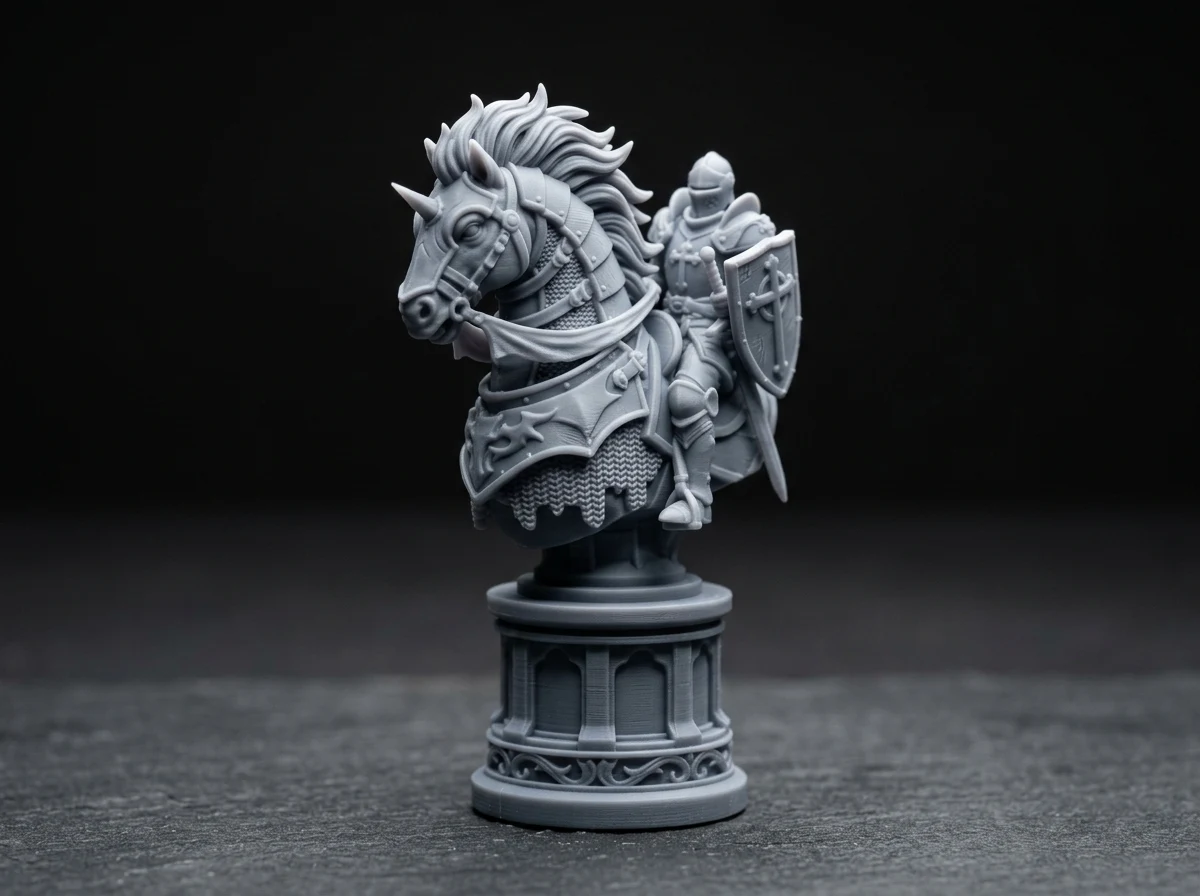
Knight's Vow (Tabletop Paladin)
Tabletop Miniatures
3D CubeInspect in 3D

Knight's Vow (Tabletop Paladin)

Heroic chess knight paladin in heavy barded plate armor, sharp warhorse mane, monolithic pedestal base, 32mm tabletop miniature, 100% watertight solid mesh for resin and FDM 3D printing

3D Cube17,872 ΔInspect in 3D
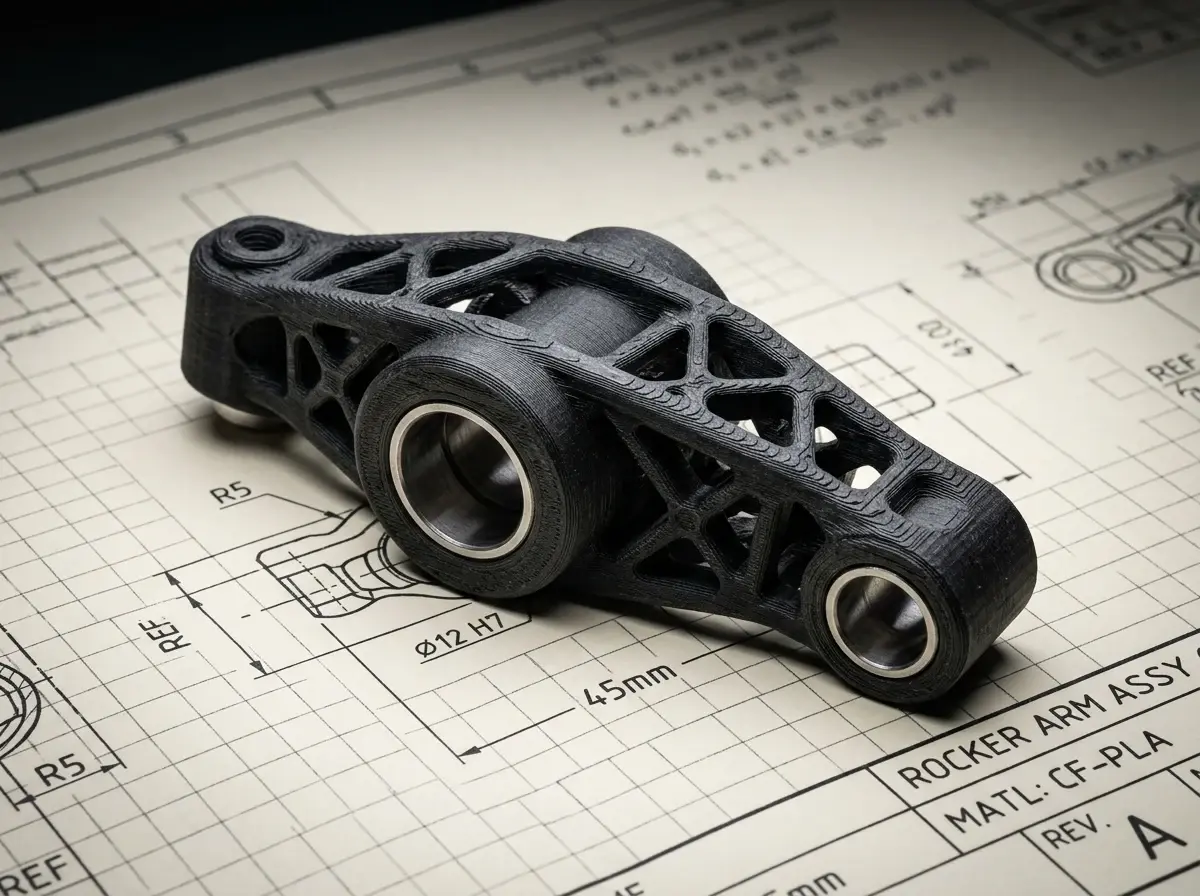
Precision Mechanical Rocker Arm
Scale & Engineering
3D CubeInspect in 3D

Precision Mechanical Rocker Arm

High-precision internal combustion engine rocker arm, dual cylindrical bearing bores, structural weight-reducing truss, engineering CAD tolerance, optimized for carbon-fiber PETG/ABS 3D printing

3D Cube20,088 ΔInspect in 3D
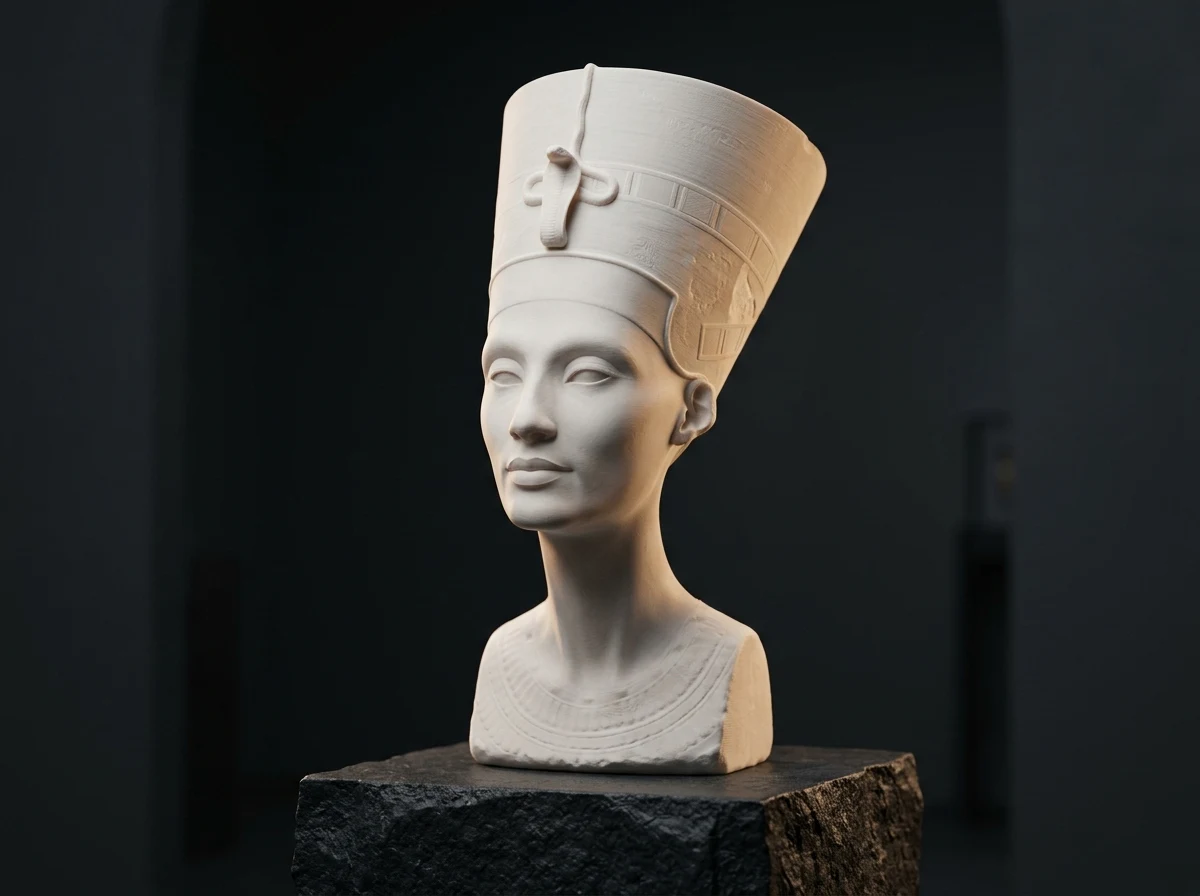
Queen Nefertiti Royal Bust
Sculptures & Busts
3D CubeInspect in 3D

Queen Nefertiti Royal Bust

Museum-grade classical royal sculpture bust of Egyptian Queen Nefertiti with ceremonial tall crown, elegant facial contours, smooth neck, flat pedestal mount, high resolution 3D print mesh

3D Cube99,938 ΔInspect in 3D
Minimalist Designer Rubber Duck
Designer Toys
3D CubeInspect in 3D

Minimalist Designer Rubber Duck

Cute modern designer vinyl art toy rubber duck, minimalist smooth curves, orange bill, Pop Mart collectible aesthetic, support-free flat bed adhesion base for desktop 3D printing

3D Cube4,212 ΔInspect in 3D

Frequently Asked Questions

PNG to 3MF, file format, printability, and which slicers open the download.

Yes. Convert JPG and PNG images to 3MF on AI STL Generator. New accounts start with free credits, and daily check-in adds more, so you can generate, preview, and download without a credit card. The generate button shows the credit cost before you run it.

3MF is the print package modern slicers expect. Unlike STL, it stores a unit, which avoids the common 25.4× scale mistake when inches and millimeters get mixed up. It is ZIP-compressed, so the download is usually smaller, and it can carry material data for multi-color workflows in Bambu Studio and OrcaSlicer. STL is geometry only.

The image becomes a mesh, then you run the FDM printability analysis in this studio. It flags overhangs and thin walls. One-click repair closes non-manifold edges and flipped normals. Treat the result as a pre-flight: it clears the usual slicer errors, and your printer, filament, and supports still decide the print.

Yes. Open the downloaded 3MF directly in Bambu Studio, OrcaSlicer, PrusaSlicer, Creality Print, or Ultimaker Cura.

High-contrast PNGs with a clear subject work best for logos, badges, and flat designs. For figures, use a sharp, well-lit JPG or PNG where the subject stands apart from the background. Save WebP files as PNG or JPG before upload.

Ready to Bring Your 2D Images to the 3D World?

Upload a PNG or JPG and download a 3MF you can open in your slicer. Most meshes finish in a few minutes.

No CAD experience needed • Runs in the browser • Printability check and mesh repair included